Data subject access request
According to the GDPR, every data subject has a right of access to the data stored about them. According to the GDPR, every data subject has a right of access to the data stored about them. These data subject access requests can be documented and processed in the Data Protection app.
Create data subject access request
You can create data subject requests via the homepage of the Data Protection app using the corresponding quickstart.
Instructions:
-
Navigate to the homepage of the Data Protection app
-
Click on the quickstart Create data subject access request
Siehe auch: Quickstarts to the Data Protection app
-
Use the form to enter the key data for the data subject request:
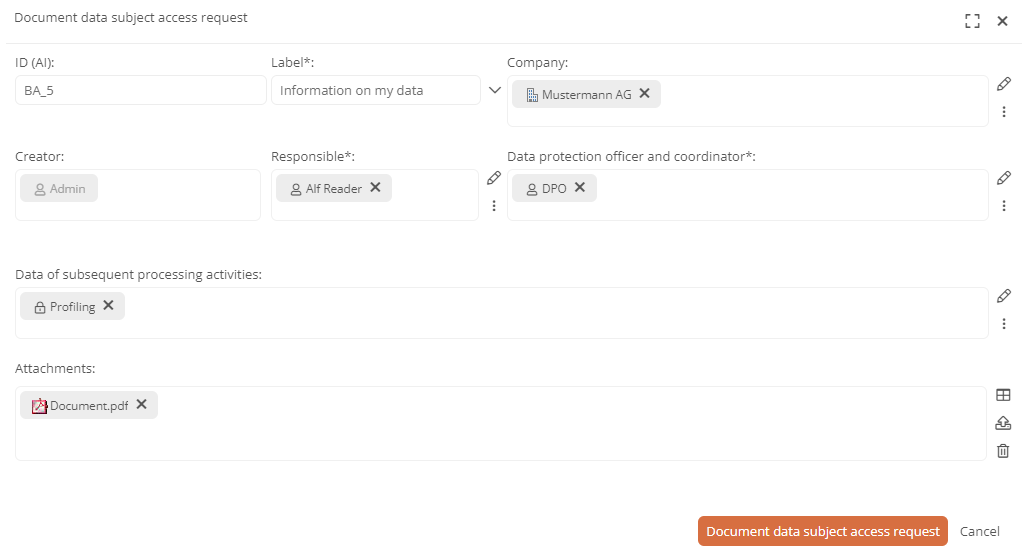
Hinweis: The form fields marked with * are required.
-
Click on Record data subject request in the form
Results:
-
The data subject access request has been created.
-
Various drop-down views allow you to view the object from different perspectives.
Siehe auch: Data subject access request views
-
The data subject request has the status Data subject request Basic data recorded. You can now enter further details using the workflow for the data subject access request.
Siehe auch: Enter details of the data subject access request
-
The respective category was automatically assigned an overall sensitivity according to your processing activity master data.
Siehe auch: Master data for processing activities
Hinweis: If the overall sensitivity is high, Aeneis recommends carrying out a Data Protection Impact Assessment (DPIA) in the Default view of the processing activity in the Note on the creation of a DPIA section. See Data Protection Impact Assessments.
-
You can manage the data subject access request centrally for the other data subject access requests in the All data subject access requests dashboard.
Siehe auch: Data protection reports