
Configure version
For the individual transitions of an extended release workflow (ERWF), you can optionally define further specific properties for the versioning of objects via the version configuration.
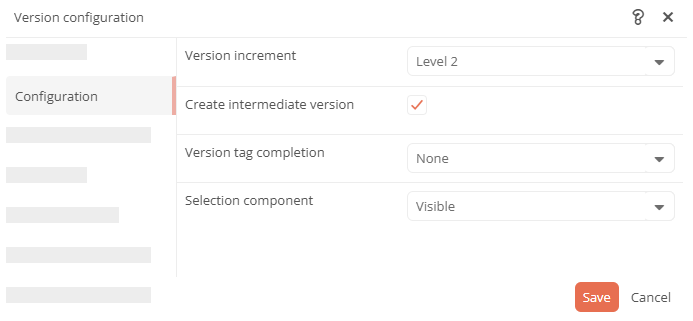
Version numbering: Specify which level of the version number is incremented when a new version is created.
Intermediate version: Configure the transition as the trigger for an intermediate version.
Selection component: Enable a dialog in which version creators can select specific child objects to be versioned.
Create version configuration
You can create a version configuration for each transition of an ERWF using the Version attribute.
Instructions:
-
Open SystemAdministration
-
Navigate to the desired transition in the tree and expand its node
-
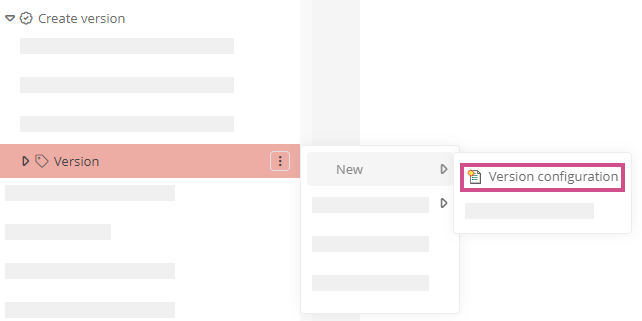
Open the context menu of the Version attribute and create a new Version configuration:
-
Give the version configuration an appropriate name
-
Click on Save in the toolbar of the SystemAdministration
Result:
You can configure the version numbering via the Configuration properties area:
 Configure version