Translate object structures in the WebModeller
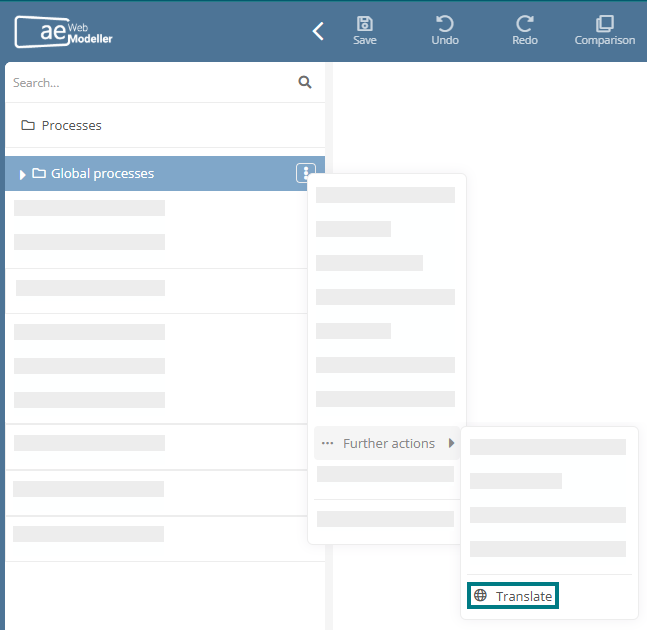
In WebModeller, you can use the context menu of an object in the model overview to initiate an automatic translation that includes all directly associated child objects. This allows you to translate entire object structures into other target languages within a single translation job.
Hinweis: With the DeepL API Free package, you can use machine translation free of charge up to a certain number of characters. When translating complete object structures, the free quota can quickly be used up. If you want to translate more, you can upgrade to the paid subscription DeepL API Pro. You can find more information at DeepL API plans.
Hinweis: Before using translation management, check what cost control options your DeepL package offers. Depending on the package, you can set a monthly cost limit or a character usage limit in your DeepL account. Otherwise, unexpectedly high costs may arise for extensive translations. Further information can be found under API usage and cost control.
Functional scope:
-
Automatic translation of the selected object in WebModeller along with all its main child objects and diagrams
-
Automatic translation of all multilingual attributes of the currently selected object and its child objects
-
Translation preparation via a corresponding dialog in which the source language, target languages and translation options can be defined
-
Optional configuration of a global source language and global target languages, which are then automatically preselected in the dialog for translation preparation