Password Policy & Encryption
For high security, you can enable password policies in your database. These password policies must be met as a minimum for new passwords:
-
At least 12 characters (by default 12 characters are defined, the number can be changed via the database property Password length)
-
At least one capital letter
-
At least one lowercase letter
-
At least one number
-
At least one special character (!@#$%&*()_+=|<>?{}/\[]~-:;,."'`')
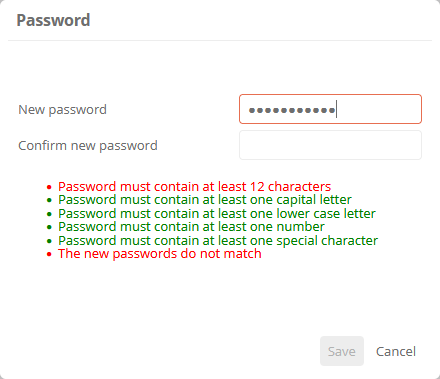
If password policies are enabled, they will be taken into account when a new password is assigned. New passwords must then only comply with the new password policy.
Hinweis: The password policy does not apply to synchronized users (via LDAP, AZURE AD, or similar). Then, the password policy of the other system applies.
Hinweis:
Password history: If a new password is assigned for existing users, a password that has already been used once in the past cannot be set as the new one.
Enable password policies
Password policies are disabled by default in new databases. In databases, you can subsequently activate them in the database properties.
Siehe auch: For information on how and where to activate the property, see Database object and properties.
Assign new passwords:
After activation, new secure passwords must be assigned to users. They will be prompted to enter a new password the first time they log in.
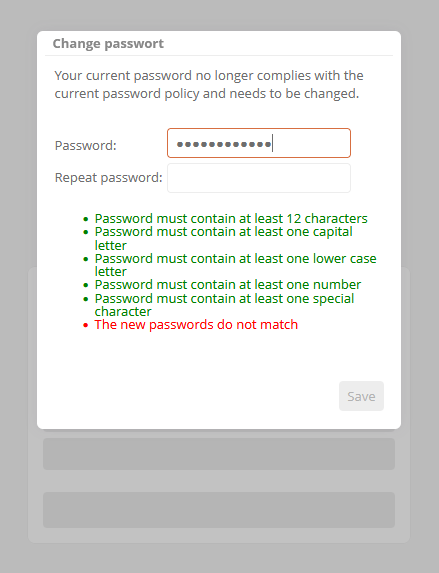
When the administrator logs on to a database for the first time, he/she must assign a secure password via the ServerAdministration.
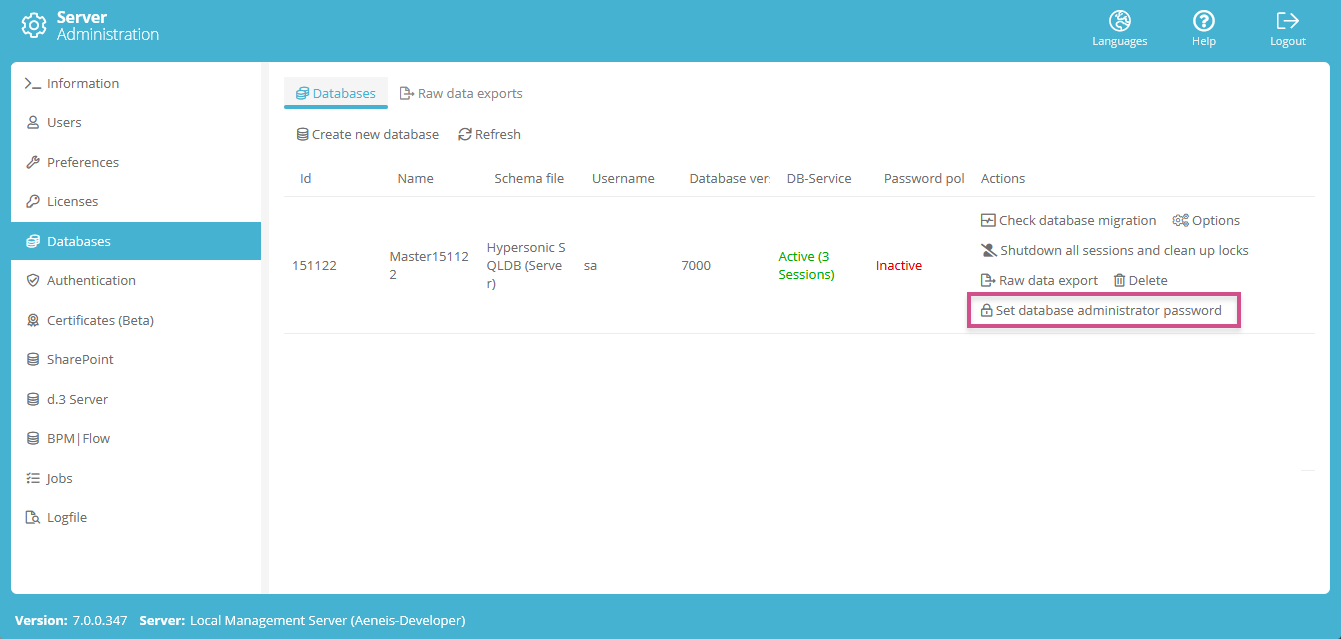
Achtung: If a user has set a blank password, he/she will not be able to log in after the password policy has been activated. The administrator must assign a new password for this user in the UserAdministration!
Siehe auch: Chapter Manage database.
Password encryption
Passwords are encrypted in Aeneis using the following hashing methods:
-
Argon2 Hash
-
SHA-256 Encryption
 Related Topics