Raw data export of an Aeneis database
A raw data export exports the entire Aeneis database. The raw data export exports all model objects with working draft and versions as well as the entire database context with schema, audit trail, etc. The raw data export thus enables, among other things, the migration of an existing database from one database system (e.g. HSQL) to another database system (e.g. Oracle).
Hinweis: To export only the working drafts of model objects without versions, an XML export must be carried out. See also: AEN export of an Aeneis database.
Create raw data export in the ServerAdministration
You can export raw data via the ServerAdministration.
Instruction:
-
Open the Databases section in ServerAdministration
-
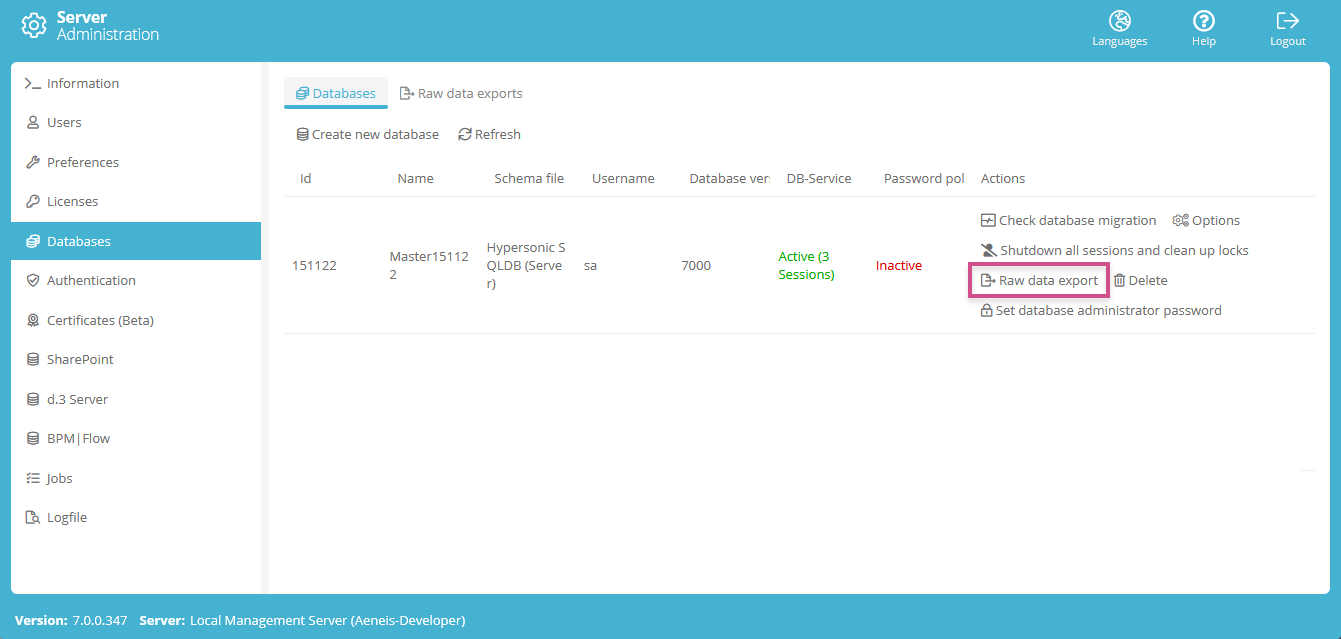
Click on the Raw data export button for your database:
-
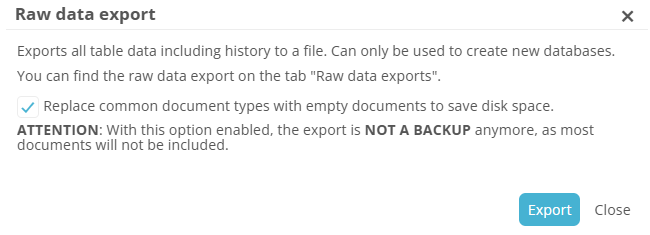
If you want to replace common document types (e.g. PDF, DOCX, XLSX, PPTX, DOC) with empty documents because they are irrelevant to the specific use case, enable the corresponding option in the Raw data export dialog:
Beispiel: Select this option in the following use cases:
-
You provide intellior with your database to analyze a problem in which documents play no role.
-
You set up a test system in which documents play no role.
Achtung: Do not use this option if you want to create a full backup of your database.
-
-
Confirm the Raw data export dialog with Export
-
As soon as the export is complete, you can close the Raw data export dialog
Result:
The raw data export is made available for download via the browser header.
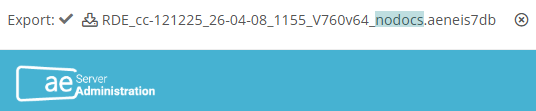
Hinweis: The suffix nodocs in the file name draws your attention to the fact that common document types have been replaced by empty documents.
In addition, the raw data export is listed in the Raw data exports tab in the Databases area, where you can download or delete it.
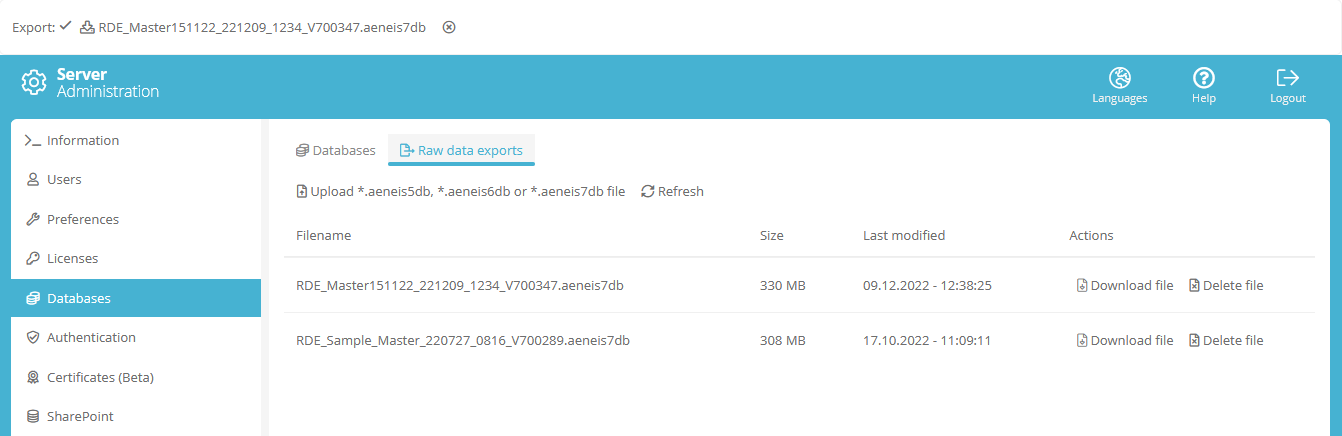
Tipp: If the raw data export is not displayed directly, refresh the list.
Create raw data export in the SystemAdministration
If you operate Aeneis via a Flexcloud, you do not have access to ServerAdministration on delivery. You can therefore alternatively create raw data exports via the SystemAdministration.
Instruction:
-
Open the SystemAdministration
-
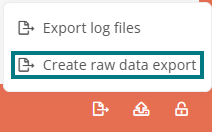
Click on Export... in the status bar.

Hinweis: Common document types cannot be excluded from raw data export via SystemAdministration.
-
Click on the Create raw data export entry to generate and download the file:
 Related Topics